
About This App


Description
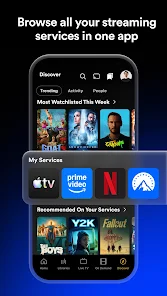
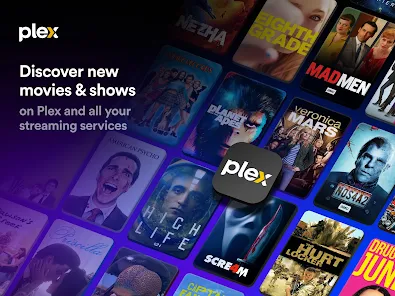
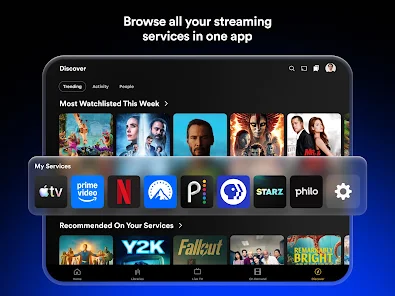
Plex is a free app for watching movies, TV shows and live TV channels on almost any device. You can stream a large library of free, ad-supported titles, browse live channels, and also play your own movies, music and photos with Plex Media Server. Below you'll find what Plex offers, whether it's really free, how to download the latest version, and how to log in on your phone, computer or TV.
What Is Plex?
Plex is a streaming app developed by Plex, Inc. It works in two ways.
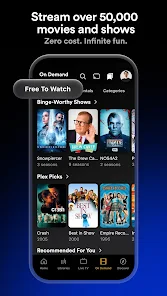
First, Plex is a free streaming service. You can watch thousands of on-demand movies and TV episodes, plus a lineup of live TV channels, without paying anything. These titles are fully licensed and supported by ads, much like free TV.
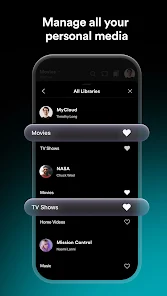
Second, Plex is a personal media player. If you have movies, shows or music saved on your computer or a network drive, you can install Plex Media Server and stream that collection to your phone, tablet or TV. Plex organizes everything with posters, descriptions and episode lists, so your own files look like a polished streaming service.
You can use either feature on its own, or both together in the same app. Plex TV (plex.tv) is the official website, where you can watch in your browser and manage your account.
Is Plex Free?
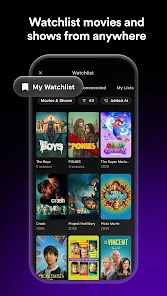
Yes. The Plex app is free to download, and you can watch free movies, free TV shows and live TV channels without a subscription. Creating a free Plex account lets you save a watchlist and keep your progress across devices.
Plex Pass and Plex Lifetime Pass
Plex also offers an optional paid membership called Plex Pass, available as a monthly, yearly or lifetime plan. Plex Pass adds extra features, mainly for people who stream their own media with Plex Media Server, such as watching and recording live TV from an antenna with a TV tuner (Live TV & DVR). You don't need Plex Pass to watch the free movies and live TV channels. Features and prices change from time to time, so check plex.tv for the current details before you subscribe.
How to Download and Install Plex
Plex is available for phones, tablets, computers and TVs. Choose your device below.
Download Plex on Android
- Open the Google Play Store on your phone or tablet.
- Search for "Plex" and select Plex: Watch Live TV and Movies by Plex, Inc.
- Tap Install and wait for the download to finish.
- Open the app, then log in or create a free account to start watching.
Looking for a Plex APK? The safest way to get the Plex app on Android is directly from Google Play, which always gives you the official, latest version.
Download Plex on iPhone and iPad
- Open the App Store.
- Search for "Plex" and make sure the developer is Plex, Inc.
- Tap Get to download the app.
- Open Plex and log in, or start browsing free movies and live TV.
Plex for Windows 11, Windows 10 and macOS
On a computer, you can watch Plex directly in your web browser by logging in at plex.tv, with nothing to install. Plex also offers an official Plex desktop app (client) for Windows 11, Windows 10 and macOS on its website. If you want to share your own movies and music, download Plex Media Server for your computer as well (see the Plex Media Server section below).
Plex on Smart TVs, Roku and Fire TV
Plex runs on most streaming devices and smart TVs, including Roku, Amazon Fire TV, Apple TV, Android TV and Google TV, and many Samsung, LG and Vizio TVs. Open your TV's app store, search for Plex, and install it. The first time you open it, the app shows a short code so you can log in from your phone (see the Plex Login section).
How to Update Plex to the Latest Version
On Android and iPhone, Plex updates through Google Play or the App Store; open the store, search for Plex and tap Update if it appears. On Windows and Mac, the Plex desktop app and Plex Media Server tell you when a new version is available, and you can also download the latest version from plex.tv. Keeping Plex updated gives you the newest features and fixes.
Plex Login: How to Sign In and Use plex.tv/link
There are a few ways to log in to Plex, depending on your device.
Plex Login on a TV with plex.tv/link
- Open the Plex app on your TV or streaming device and choose Sign In.
- A 4-character code appears on the screen.
- On your phone or computer, go to plex.tv/link (https://plex.tv/link) in a web browser.
- Log in to your Plex account if you're asked.
- Type the code and select Link. Your TV logs in automatically within a few seconds.
Plex Login Online and on Mobile
On a computer, go to plex.tv and select Sign In to use the Plex web app in your browser. On a phone or tablet, open the Plex mobile app and log in with your email and password, or with Google or Apple. Use the same Plex account everywhere, so your watchlist, progress and media server appear on every device.
Can't Log In to Plex?
If the plex.tv/link code expires, go back on your TV and request a new one. If you forgot your password, use "Forgot password" on the Plex login page to reset it by email. If your own media doesn't show up, make sure you're logged in to the same account on your Plex Media Server.
Free Movie App: Watch Free Movies and TV Shows on Plex
Looking for free movies online? Plex is one of the easiest legal ways to watch movies and TV shows for free, on your phone, computer or TV. Everything in the free catalog is licensed, and it's supported by short ad breaks instead of a monthly fee.
The free library covers many genres:
- Movies: action, comedy, drama, horror, westerns, classics and family films
- TV shows: full seasons of reality, crime, comedy and drama series
- Documentaries, true crime and nature programs
- Kids' movies and cartoons
To find free titles, open the app and go to the Movies & Shows section, or use search and look for titles marked as free to watch. You can add anything to your Watchlist and come back later on any device.
Plex vs. Free Movie Websites
Many free movie websites and free TV show websites are full of pop-ups, fake download buttons and illegal copies. Plex works differently: it's a free movie streaming service with licensed titles from real studios, available as an app and on plex.tv. There are no unsafe streaming sites to deal with, and you can stream free movies in good quality on any device. If you're comparing streaming TV services or looking for the best free movie apps, Plex is a solid free option to try first.
Free Live TV Channels
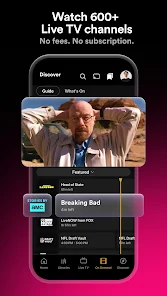
Plex also has free live TV. Open the Live TV section to see a channel guide, just like cable, with channels for news, sports, movies, comedy, kids and more. There's no cable box, no antenna and no subscription needed. Tap any channel to start watching right away.
What Is Plex Media Server?
Plex Media Server is free software that you install on a computer or network drive (NAS) where your own media is stored. It organizes your movies, TV shows, music and photos, then streams them to the Plex app on your other devices.
Getting started takes a few steps:
- Download Plex Media Server for Windows, Mac or Linux from plex.tv.
- Install it and log in with your Plex account.
- Add your media folders, for example Movies and TV Shows.
- Open the Plex app on your phone or TV and log in with the same account. Your library appears automatically.
Best Device for a Plex Server
Any computer that can stay on while you watch can be a Plex server: a desktop PC, a Mac, a small mini PC or a NAS drive. For one or two people streaming at home, an everyday computer is usually enough. If several people stream at once, or you watch outside your home, a faster computer or a NAS built for Plex works better. Some advanced server features require Plex Pass; Plex's support site has full setup guides.
Plexamp – Plex's Music App
Plexamp is the official music app from Plex. If you keep a music collection on Plex Media Server, Plexamp plays it in a player designed just for music. It's a separate download from the main Plex app and is available for Android, iPhone, Windows and Mac.
Plex Features
- Free on-demand movies and TV shows, supported by ads
- Free live TV channels with an easy channel guide
- Stream your own media from Plex Media Server
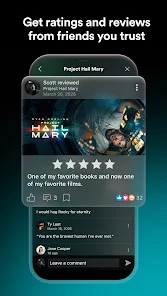
- Watchlist to save movies and shows for later
- Continue watching where you left off on any device
- Works on phones, tablets, computers, smart TVs and streaming players
- Separate Plexamp app for your music library
Pros and Cons
Pros
- Free to download and use, with a large library of free movies and shows
- Legal, licensed content
- Live TV channels with no cable or antenna
- Combines free streaming and your own media in one app
- Available on almost every device
Cons
- Free movies and live TV include ads
- Some features require a paid Plex Pass
- Setting up Plex Media Server takes a little time
- The free catalog changes, so some titles may leave over time
Frequently Asked Questions
Is Plex free to use?
Yes. The Plex app is free, and you can watch free movies, TV shows and live TV without paying. Plex Pass is an optional paid upgrade with monthly, yearly and lifetime plans.
Is Plex safe and legal?
Yes. Plex is developed by Plex, Inc. and is available on Google Play and the App Store. The free movies and live channels are licensed, so you're watching legally. Always download the app from an official app store.
How do I log in with plex.tv/link?
Open Plex on your TV and choose Sign In to get a 4-character code. Then go to plex.tv/link on your phone or computer, log in, enter the code and select Link.
Can I use Plex on Windows 11?
Yes. You can watch in a web browser at plex.tv, or install the official Plex desktop app for Windows 11 or Windows 10. To share your own media, install Plex Media Server on your PC.
What's the difference between Plex and Plex Media Server?
The Plex app is what you use to watch, on your phone, computer or TV. Plex Media Server is software that stores and streams your own media library. You only need the server if you want to play your own files.
Do I need Plex Pass to watch free movies?
No. Free movies, free TV shows and live TV channels are available to everyone. Plex Pass adds extra features, mostly for Plex Media Server users.
Download Plex
Plex is developed by Plex, Inc. toolpoolz links to the official app stores. Choose your device to download Plex for free.